My Solitaire-Card Game
Misiona PuzzleCard
4.73.00 Reviews
- Version
- 2.2
- Installs
- 10.00K
- Age Rating
- Everyone
Screenshots
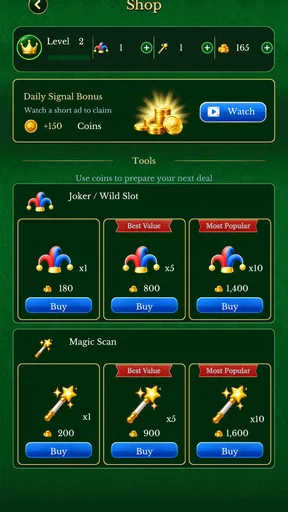
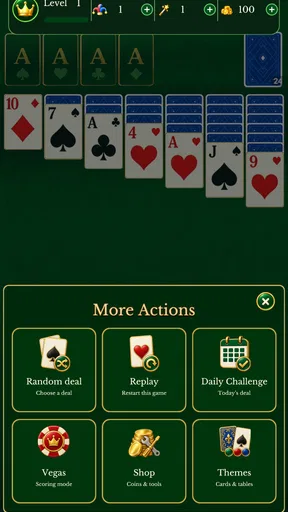
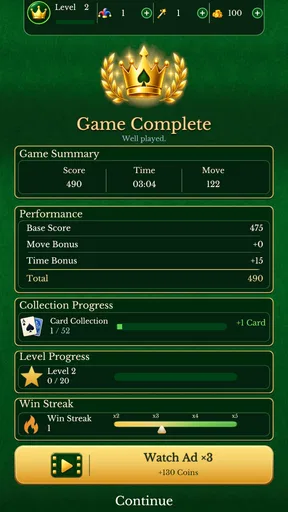
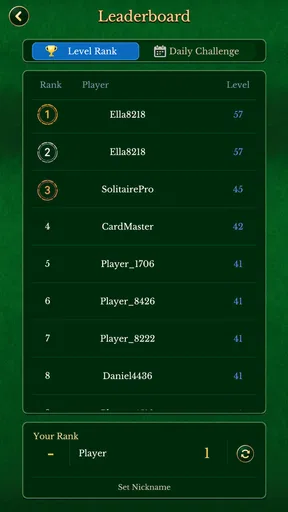
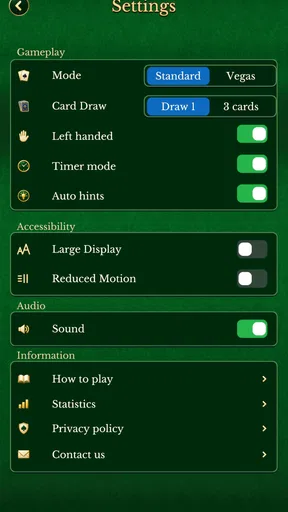
Our Review of My Solitaire-Card Game
 Analysis by Appyee
I like solitaire most when it fits into the small spaces of a normal day: while waiting for an appointment, taking a quiet break, or winding down without committing to a long game. My Solitaire is built for exactly that kind of use. It is a free card game from Misiona Puzzle, and its familiar solitaire foundation is made more interesting with Joker moves, custom themes, and daily challenges. After spending time with it, I found it easy to pick up, pleasant for short sessions, and more flexible than a plain digital deck.
The important thing is to approach it as a focused solitaire companion rather than a large collection of card games. It does not need a complicated learning period, and its Everyone age rating makes it suitable for a broad household audience. At the same time, that simplicity means it will not satisfy someone looking for deep multiplayer competition, a large strategy campaign, or extensive account-based progression. For me, its appeal comes from making one classic format convenient without burying it under unnecessary systems.
How My Solitaire fits into a shared household
I find that a shared device makes a simple solitaire game useful in a different way: it can offer each person a quiet turn without requiring anyone else to join in. In this section, I consider how to pass the game around while keeping expectations about themes and personal play clear. That naturally leads to the separate question of what the game’s age context means in everyday household use.
A practical game for passing the device around
A shared phone or tablet can turn a simple card game into a surprisingly useful household activity. One person can play a quick hand, put the device down, and someone else can use it later without needing to understand a complicated menu structure. I can imagine it sitting on a kitchen counter during a quiet evening, with one family member trying a daily challenge and another choosing a different theme for a few minutes afterward.
That scenario works because solitaire is naturally turn-free. Nobody has to wait for an opponent, coordinate a match time, or agree on a shared pace. If the device is needed for something else, the current session can simply make way. This is a better fit for an intermittently shared device than a game that depends on continuous online participation or a fixed group.
The Joker moves also give the familiar format a small point of discussion. A new player can ask what a Joker changes, while an experienced player can decide whether using one is worth saving a difficult position. I would not describe this as a multiplayer feature, because the game remains a solo card experience, but it can still create light coordination between people using the same device.
What changes when several people use one device
Shared use also exposes an important limitation: a solitaire game is personal even when the phone is communal. A player may want to keep a particular challenge, theme preference, or playing rhythm separate from everyone else. I would therefore treat My Solitaire as a pass-the-device game, not as a household account system. Before handing it over, I would check which screen is open and avoid assuming that each person has a private space inside the game.
This matters especially if more than one person enjoys daily challenges. A household can coordinate informally by agreeing who will play first, or by treating the challenge as a shared puzzle rather than an individual record. That approach avoids confusion and keeps expectations realistic. The game is enjoyable without turning every result into a family competition, but it does not replace a dedicated profile system when separate histories are essential.
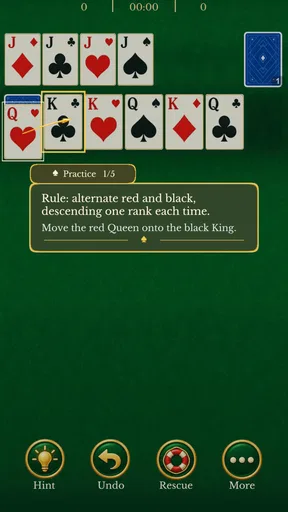
For children and older relatives, the familiar card layout should make the first contact less intimidating than a strategy-heavy game. I would still show a new player the Joker option and the theme controls before leaving them alone with it. Those small explanations can prevent the common frustration of tapping through a move without understanding why the board changed.
Why short sessions work particularly well
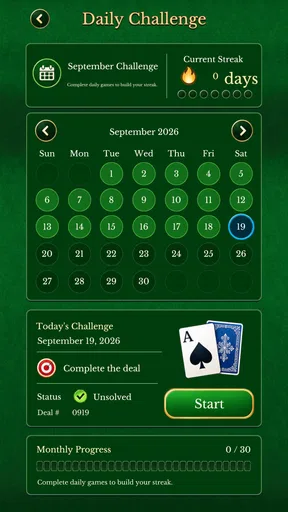
My strongest use case is the ten-minute gap. I can open the game, make a few decisions, and stop without feeling that I have abandoned a story or interrupted a team. The daily challenge gives that short session a clear purpose, while custom themes help the experience feel less repetitive over time.
There is also a useful mental distinction between a normal hand and a challenge. A normal hand is something I play for relaxation; a daily challenge gives me a reason to slow down and think about sequencing. If I am tired, I can choose the first option. If I want a little more focus, I can try to solve the challenge carefully rather than making automatic moves.
The best household role for My Solitaire is a quiet, self-contained activity that people can share by taking turns, not a game that manages a group. That distinction explains both its convenience and its boundaries.
Setting expectations before anyone starts
Because the game is free, it is easy to install as a low-commitment option for a common device. The listed minimum operating-system requirement is Android 6.0, which covers many older Android devices as well as newer ones. I would still test the interface on the actual shared phone or tablet before promising that it will become the household’s main card game, particularly if the device has a small screen or an older touch panel.
The game is listed at version 2.2, so I would keep it updated through the normal app store process when an update is available. That is less about expecting a particular feature and more about avoiding a situation where one person uses an older installation while another expects the same behavior. On a shared device, consistency is more useful than chasing every possible setting.
Boundaries, age context, and everyday trust
I see an Everyone rating as a helpful starting point for a mixed-age household, not a replacement for ordinary decisions about device time or supervision. Here, I focus on setting comfortable expectations around a casual card game, including how to keep recurring challenges enjoyable rather than obligatory. Those boundaries matter most when several people share one device and have different habits.
What the Everyone rating means in practice
The Everyone content rating makes My Solitaire an approachable choice for a mixed-age household. It is a traditional card format rather than a game built around mature themes, and the simple premise is easy to explain. I would feel comfortable suggesting it to someone who wants a calm, familiar activity, while still remembering that an age rating does not tell me how each individual player will respond to difficulty or screen time.
For a child, the main conversation is likely to be about when the device can be used, not about the card rules themselves. For an older adult, the more useful support may be showing where to change the theme or how the Joker move works. These are practical boundaries that belong to the household, since the game itself should not be treated as a substitute for family agreements about device access.
I would also avoid presenting the daily challenge as a requirement. A child may enjoy having a small puzzle to return to, while another player may find the idea of a recurring task irritating. The feature works best when it adds a gentle routine rather than creating pressure to check the game every day.
Separate expectations from separate accounts
When an app is used by several people, users often want to know whether their progress, choices, or preferences will remain distinct. My Solitaire is best approached with modest expectations here. I would not install it on a shared phone assuming that every household member will automatically receive a separate identity or private history. Instead, I would agree on a simple routine: one person plays, then leaves the game ready for the next person, with no assumption that the visible state belongs to a particular user.
That arrangement is perfectly workable for casual play. It becomes less comfortable when two people care about comparing outcomes or preserving a personal challenge. In that case, a separate device or a card-game app designed around individual profiles would be a better choice. This is not a criticism of the solitaire format; it is a reminder that convenience and personal separation are different goals.
There is a useful workaround for households that want light coordination without formal competition. Each player can choose a recognizable theme before starting, then return the device to a neutral theme afterward. This does not create privacy or a record, but it can reduce the chance of accidentally taking over another person’s preferred visual setup. It is a small habit, yet shared devices often benefit from small habits more than from elaborate rules.
Trust and supervision without overcomplicating the game
I appreciate that My Solitaire can be discussed in ordinary terms. A parent can explain that it is a card game for short breaks; a grandparent can use it as a familiar pastime; a teenager can play without needing a group chat or a team commitment. The absence of a complicated social layer makes it easier to set a household routine around the game.
At the same time, I would not use its simple design as a reason to ignore general screen-time expectations. A daily challenge can encourage repeated visits, and a player who enjoys solving difficult layouts may naturally want to keep trying. The sensible approach is to decide in advance whether the game is for a break, an evening wind-down, or occasional shared use. That keeps the app in its proper place instead of letting the routine decide for everyone.
Where the Joker move changes the decision-making
The Joker is more than a decorative extra because it changes how I evaluate a stuck position. In ordinary solitaire, I may reach a point where the best choice is to restart or accept that the layout is not going anywhere. A Joker move introduces another question: should I use the flexible move now to open the board, or hold it in case a later sequence is harder?
My advice is to treat the Joker as a resource for recovery, not as an automatic button. New players may use it immediately because progress feels satisfying, while experienced players may delay it to preserve options. Neither approach is wrong, but the trade-off gives the game more texture than a purely automatic solitaire implementation.
This is also a useful way to play with a child or a relative who is learning. Instead of taking over the device, I can ask what the Joker might help with and let the other person decide. That turns a single-player game into a small exercise in planning without pretending that it has a formal cooperative mode.
Custom themes are useful, not merely decorative
Custom themes can look like a cosmetic feature, but they matter on a shared device. Different players may find different colors or card presentations easier to follow, and a comfortable visual style can make a longer session less tiring. I would let each person choose a theme that helps them read the board, then avoid changing it while someone else is mid-game.
There is a trade-off, though. Personalization can make the app feel more welcoming, but it can also create uncertainty when someone else opens the game and sees an unfamiliar appearance. The simple household solution is to tell new users that the theme is adjustable and show them where to look. That is more helpful than assuming everyone will recognize the same layout immediately.
How it compares with familiar alternatives
Compared with playing solitaire with physical cards, My Solitaire is faster to start and much easier to use in a waiting room or on a crowded table. There is no need to shuffle, find enough space, or gather the cards afterward. Physical cards still win when the goal is shared conversation around a table, because several people can watch the layout naturally and handle the decisions together.
Compared with a basic digital solitaire app, My Solitaire has a clearer reason to return through its daily challenges and a more distinctive decision point through Joker moves. Those additions are useful if standard solitaire starts to feel too predictable. A minimalist alternative may be better for someone who wants nothing except a clean deck and no extra variation.
Compared with a large card-game collection, this game is more focused. A collection app is the better choice if the household wants solitaire, freecell, spider, rummy, or other formats in one place. My Solitaire makes more sense when the main request is a familiar solitaire experience with a few ways to refresh it, not a complete card-game library.
Who should choose it and who should skip it
I would recommend My Solitaire to someone who wants a free, approachable card game for short solo sessions, especially if standard solitaire needs a little extra variety. It is also a sensible shared-device option when people are happy to take turns and do not need private profiles or formal score coordination.
I would skip it if my priority were live competition, a broad selection of card games, deep progression, or a carefully separated account for every household member. I would also choose physical cards instead if the main purpose were social interaction around a table. The game’s strength is its compact, individual nature, so asking it to be a social platform would lead to disappointment.
My final household verdict
My Solitaire works because it respects the basic pleasure of solitaire while adding just enough personality to keep the format from feeling completely routine. Joker moves create a small strategic trade-off, custom themes make the game easier to adapt to different players, and daily challenges offer a reason to return without requiring a long session.
Its household value comes from being easy to pause and easy to explain. I can hand the device to someone else without organizing a match, and a player of almost any age can understand the central idea quickly. The boundaries are equally clear: shared use is informal, personal separation should not be assumed, and the game is not a replacement for a multiplayer card app or a physical deck.
The developer, Misiona Puzzle, has kept the experience focused enough for casual use, and the game has reached over ten thousand installs with a 4.7 average from around two hundred ratings. Those figures suggest that its straightforward approach is connecting with the people who want this kind of card break. Since it is free and rated Everyone, the barrier to trying it is low.
My recommendation is simple: install it if you want a calm solitaire game that can live comfortably on a personal or shared Android device, and begin by trying a normal hand before making the daily challenge part of your routine. If you are sharing the device, agree on turn-taking and theme changes first. That small bit of coordination lets My Solitaire do what it does best: provide a familiar, flexible card pastime without demanding more from the household than a few quiet minutes.
Verdict
Strengths of My Solitaire-Card Game
- Simple rules make it easy for beginners to start playing.
- Works well for short sessions when you have a few minutes to spare.
- Smooth card controls make dragging and placing cards feel natural.
- Offers a relaxing, low-pressure experience without competitive matchmaking.
- Suitable for players who enjoy classic card games at their own pace.
Limitations of My Solitaire-Card Game
- May feel repetitive for players seeking varied gameplay or new challenges.
- Some deals can depend heavily on luck rather than strategic decisions.
- Small card details may be harder to see on compact phone screens.
- Progress can feel limited if you prefer deeper goals or long-term rewards.
- Ads or optional purchases may interrupt the experience, depending on the version.
Similar Picks in This Category
View All
Solitaire - Classic Card Games
MobilityWare4.6

UNO!™
Mattel163 Limited4.3

Spider Solitaire: Card Games
MobilityWare4.6

Solitaire.com - Classic Cards
Tripledot Studios Limited4.7

Plants vs. Zombies™ Heroes
ELECTRONIC ARTS4.1

Hearthstone
Blizzard Entertainment, Inc.4.1
Frequently Asked Questions
What is My Solitaire-Card Game?
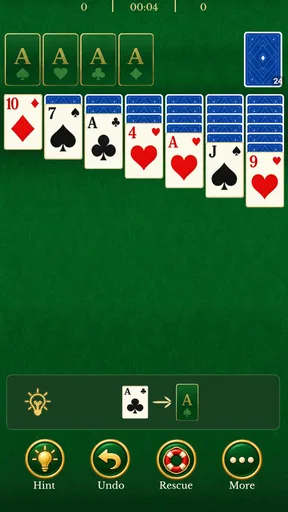
My Solitaire-Card Game is a classic single-player card game designed for mobile devices. It generally offers familiar Solitaire gameplay, where the objective is to arrange cards in the correct order and suit while following traditional movement rules. It is suitable for short breaks or longer sessions and does not require other players, making it easy to start whenever you have free time.
Can I play My Solitaire-Card Game offline?
The game is intended to be convenient for playing on the go, and the core Solitaire experience may be available without a continuous internet connection. However, certain features, such as advertisements, cloud synchronization, updates, leaderboards, or optional online services, can require internet access. It is recommended to launch the game once while connected before relying on it during travel or offline use.
Is My Solitaire-Card Game free to download and play?
My Solitaire-Card Game can typically be downloaded and played without an upfront purchase, although the exact business model may vary by platform and version. Free editions may include advertising or optional purchases for additional features, visual themes, or an ad-free experience. Before installing, check the store listing for current pricing, in-app purchase details, and any subscription information.
Does My Solitaire-Card Game include different modes or customization options?
Depending on the version available for your device, My Solitaire-Card Game may include features such as different Solitaire variations, daily challenges, scoring systems, statistics, card designs, backgrounds, hints, undo controls, or difficulty settings. These options can make repeated games more enjoyable, but not every feature is guaranteed on both Android and iOS, so review the current app description before downloading.
Is My Solitaire-Card Game suitable for beginners?
Yes, the game is generally suitable for beginners because Solitaire has straightforward rules and can be learned through practice. Helpful features such as hints, undo buttons, automatic card movement, or tutorial guidance may make the first games easier. Players who already know Solitaire can usually begin immediately, while newcomers should take a few minutes to understand the available moves and scoring rules.
Play our best games!


